mk-drive
A web drive over the folders you already have.
Runs today. MK Drive, the iPhone and iPad app, is in TestFlight.
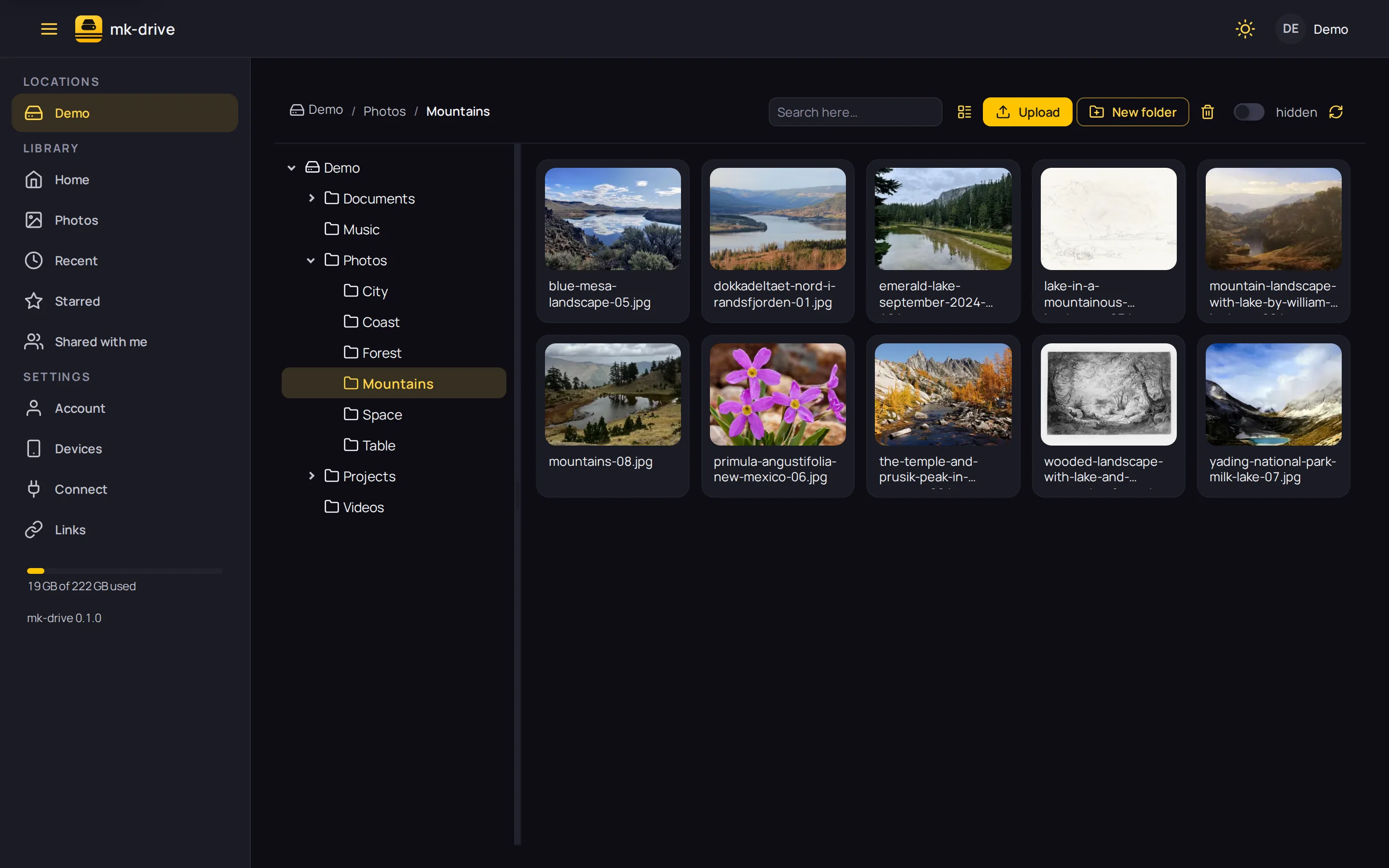
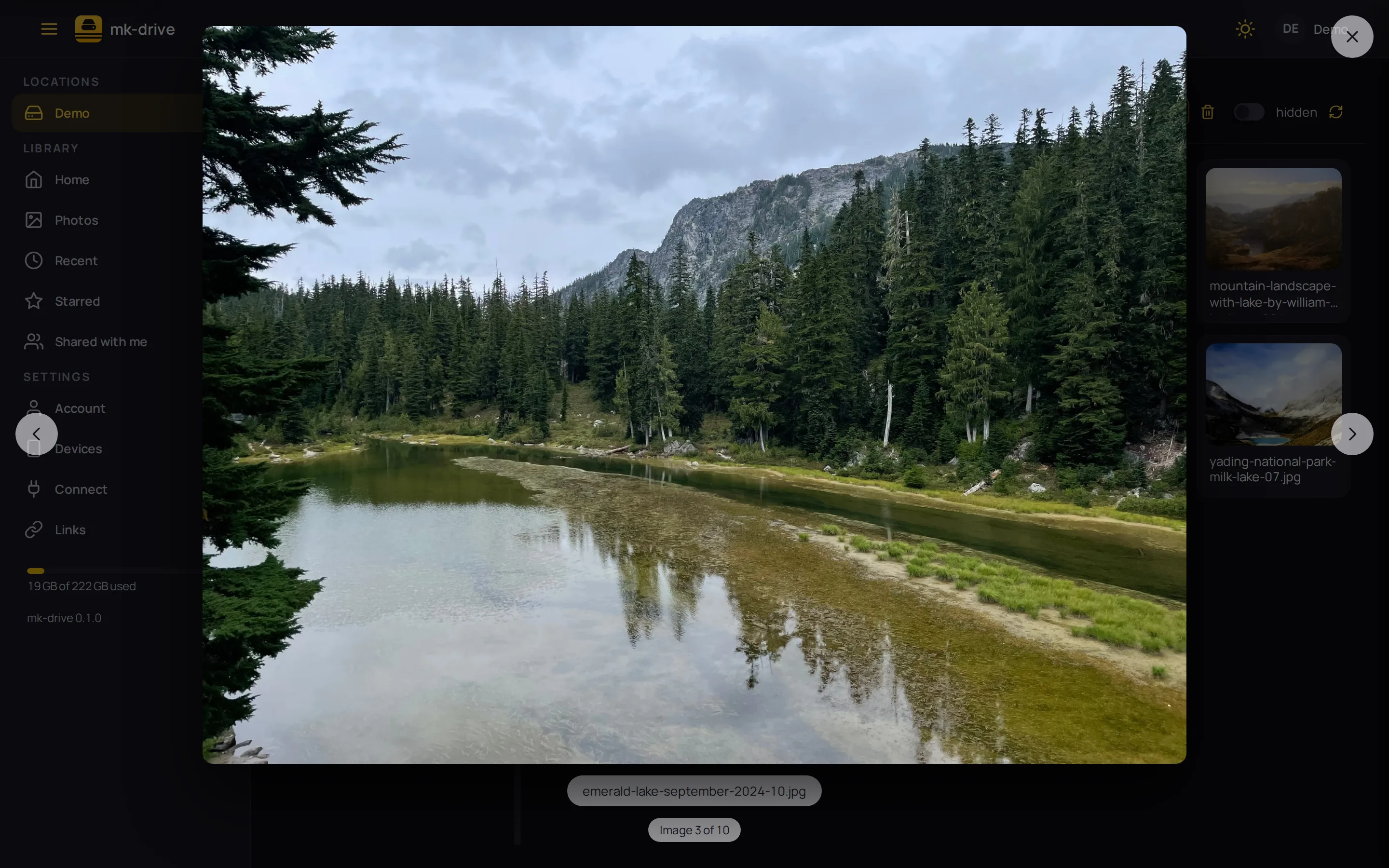
Every photo, full screen.
Open a picture and the lightbox walks the whole folder with the arrow keys. Thumbnails are rendered on your machine, from the files where they are.
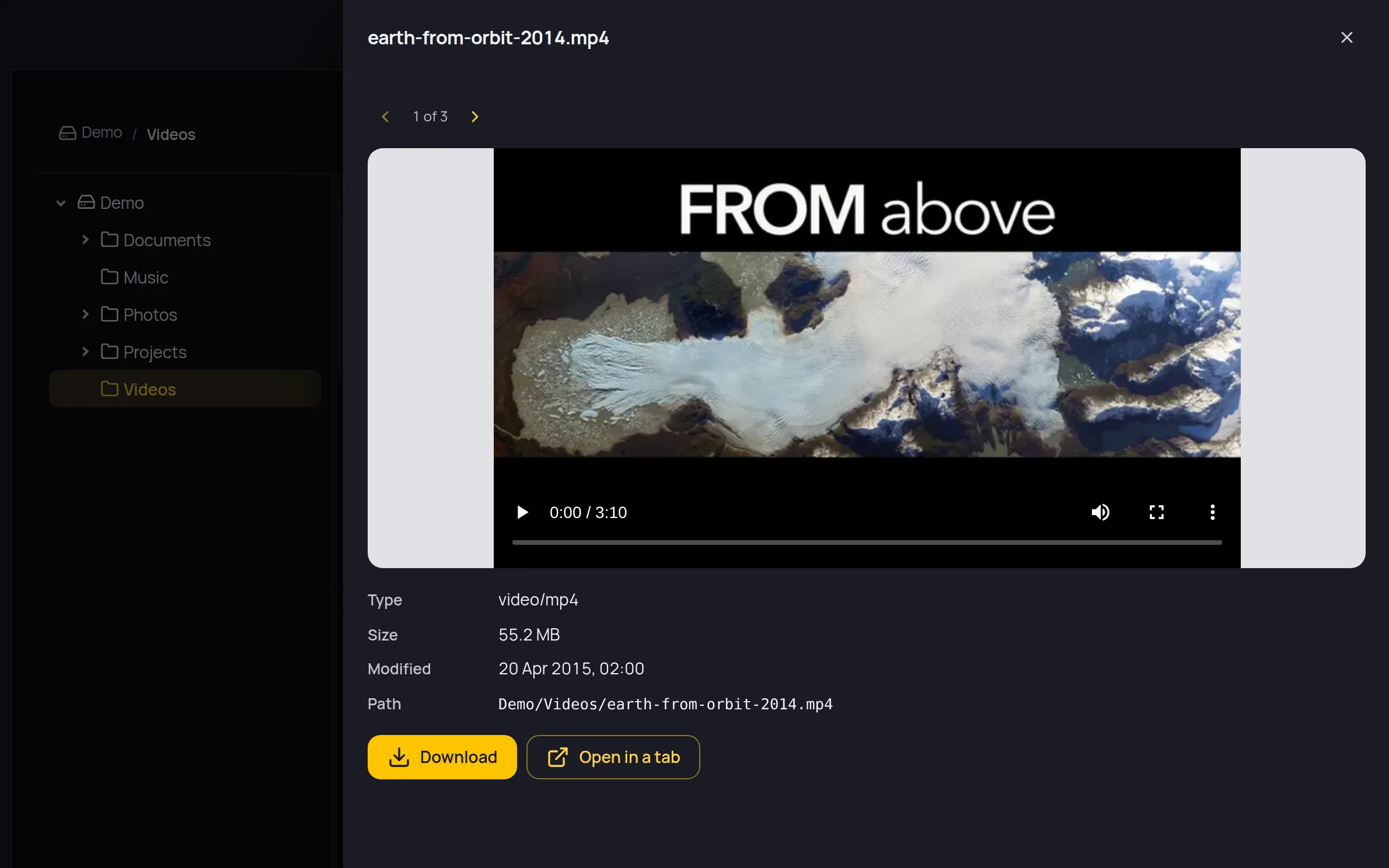
Look before you download.
Video, audio, PDFs, markdown, JSON and text open in a drawer beside the folder. Step to the next file without closing it.
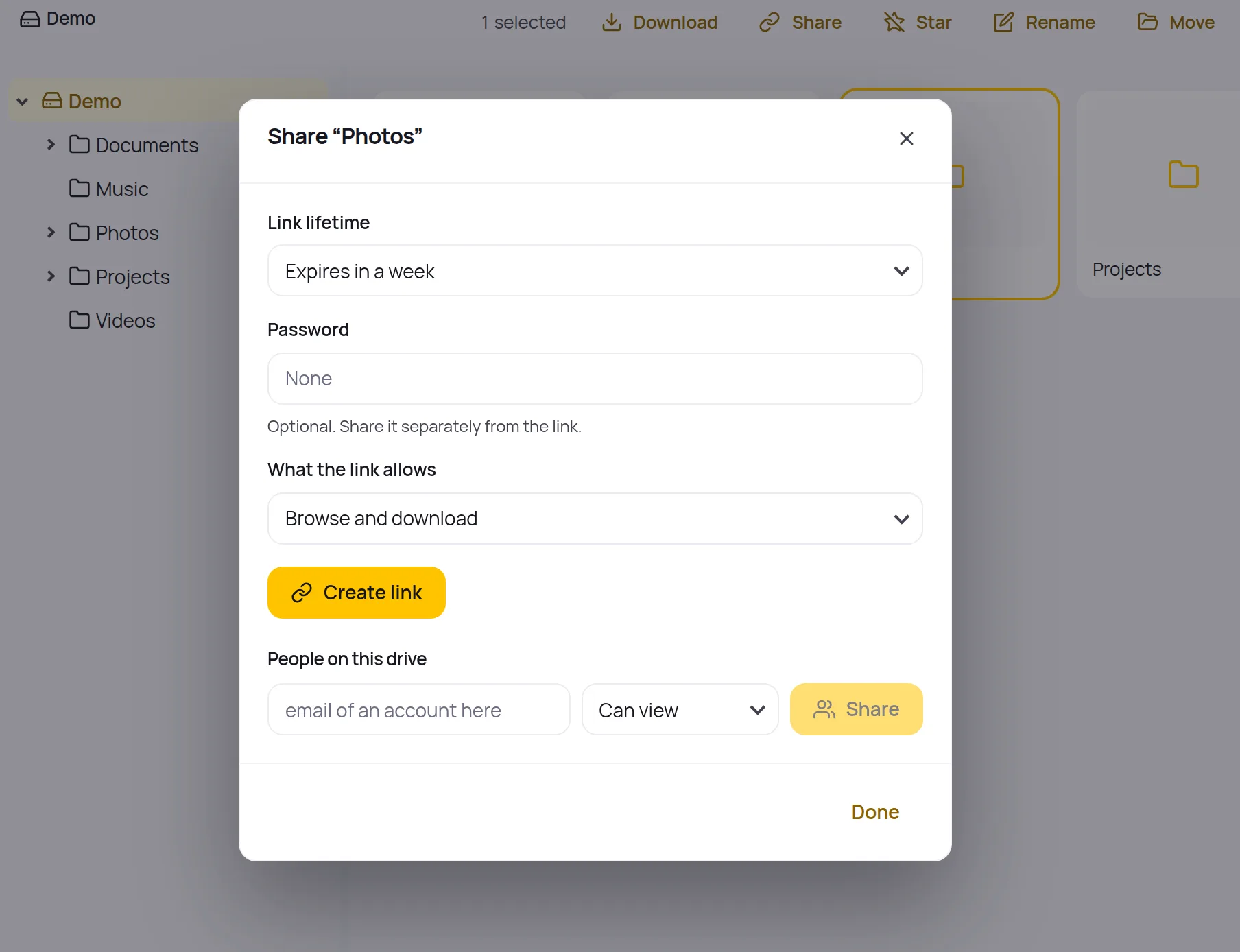
Share a folder, keep the keys.
A link that expires, a password sent separately, browse or upload only. Or give a person on the drive access, and take it back later.
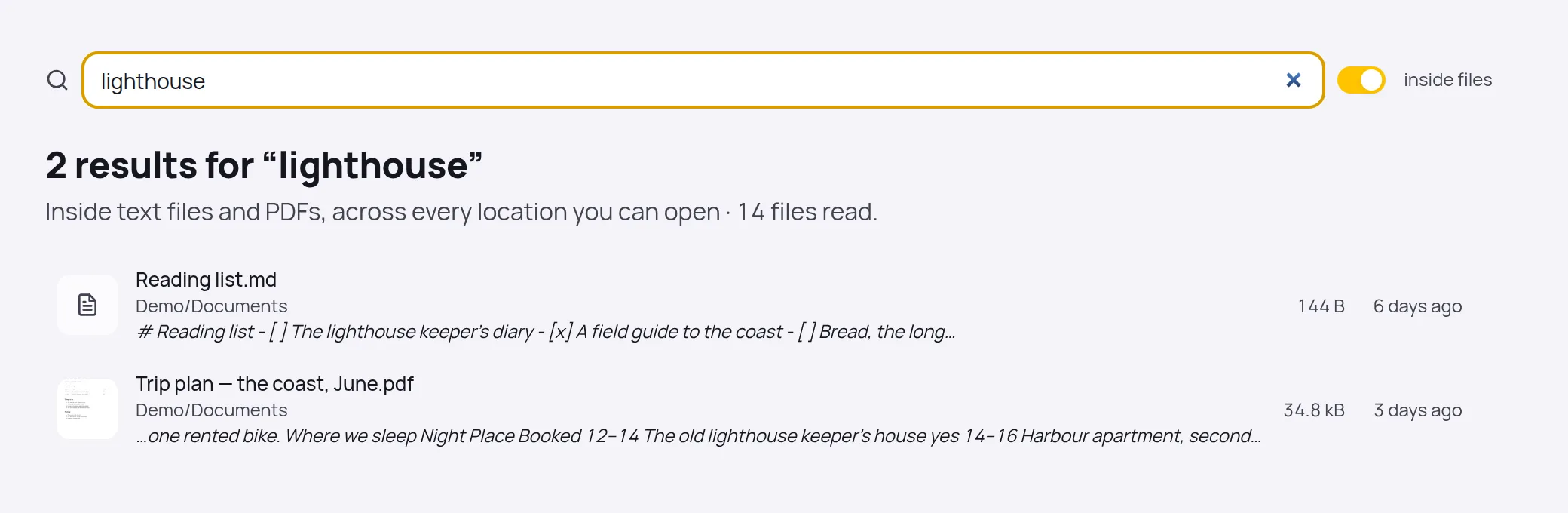
Find the word, not the file name.
Search the whole drive by name, or switch on inside files to read through text files and PDFs across every location you may open.
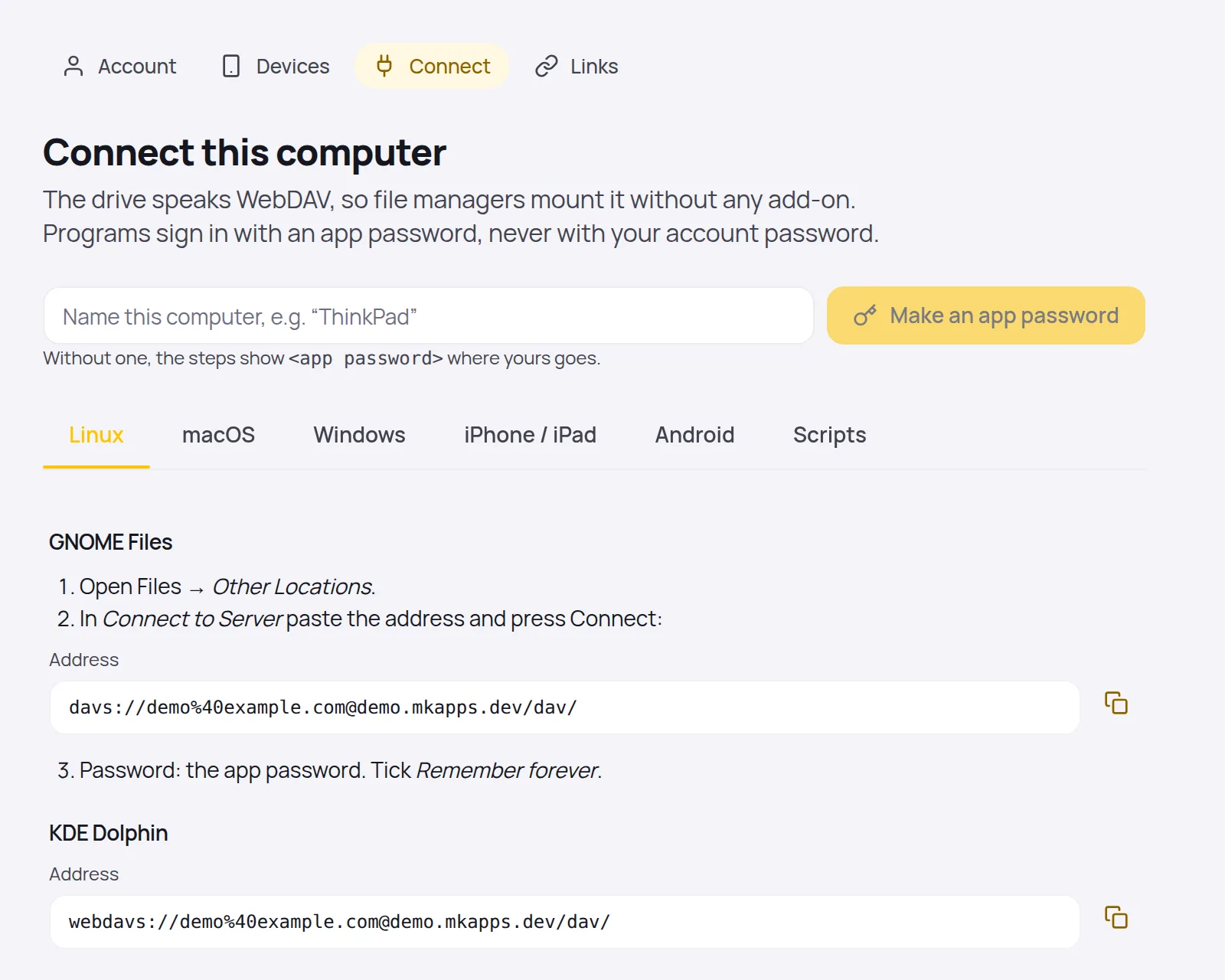
Mount it on every computer.
The drive speaks WebDAV. The Connect page writes the steps for GNOME, KDE, Finder, Explorer, rclone and phones, with an app password instead of yours.
And the rest
- The filesystem is the truth. No database, no import: files you drop into a folder by any other means are simply there.
- Photos on a timeline by the date they were taken, video and PDF thumbnails, text and markdown edited in place.
- A trash per location that keeps what you deleted; earlier versions from ZFS snapshots when the disk has them.
- Ask for files with a request link; what people send lands in a folder you chose.
- Sign in with a password or with any OpenID Connect provider. People, and which locations each one may open.
- On a machine that runs mk-nas the same app grows a Storage section: disks, pools, datasets, snapshots, shares, copies.
On your iPhone
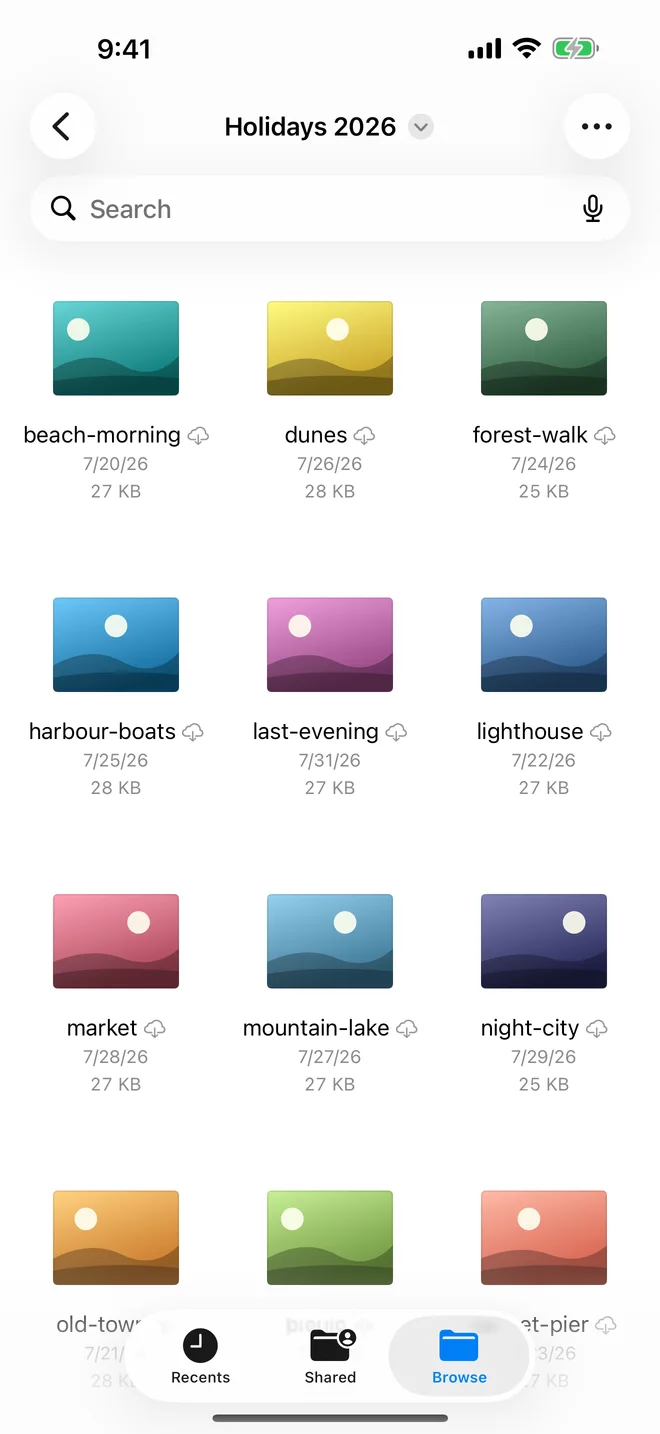
The same drive, in your pocket.
- Your drive in the Files app, next to iCloud. Open, save, rename, move and delete there, and attach files from the drive in any app.
- A small app of its own: locations with their free space, folders with thumbnails, a preview of any file.
- Upload from Files or any app that offers files. Large files go up in pieces.
- The phone holds an app password in the Keychain, never your real one. Cut a lost phone off from the drive.
Details
- One container
Point DRIVE_LOCATIONS at the folders; the first start creates the admin account.docker run -p 8810:8810 -v /path/to/files:/locations/Files -v mk-drive-data:/data ghcr.io/mkornas/mk-drive- iPhone
- Get it for iPhoneMK Drive, for iPhone and iPad. In TestFlight now; the App Store listing follows.
- Runs on
- Any Docker host. Linux, a NAS, a VPS.
- Licence
- AGPL-3.0, free and open source. The iPhone app is a paid app on the App Store. A commercial licence is available for companies that cannot use the AGPL.
- Source
- github.com/mkornas/mk-driveThe README is the manual: read it.
- Privacy
- What the app collects, and what it does not
- Help
- Support for mk-drive
- Terms
- Terms of use for the iPhone app